
Managed IT Services Cost Explained and Benchmarked

A fully managed plan averages $145 per user per month in 2026, with a typical range of $110 to $185, while co-managed IT averages $85 per user per month. Per-user pricing is now the dominant model, used by 63% of MSPs, so the main question isn't just what managed IT costs, it's what's included at that price and what gets billed later.
Two proposals can look close on paper and still land in very different places once you add security, onboarding, infrastructure, and support expectations. One quote may seem lower because it leaves out the pieces your team depends on every day, while another may look higher because it bundles the risk you'd otherwise pay for separately. That's why managed IT services cost is less like a single list price and more like the result of scope, service model, and environment.
A CIO usually feels this mismatch the moment the spreadsheet stops matching the lived reality of the business. Maybe one office has shared workstations, another site runs older servers, and your security team wants tighter controls than the proposal mentions. The number on the proposal is only the starting point.
The practical goal here is simple. By the end, you should be able to read a managed IT quote, identify the hidden assumptions, compare providers on equal terms, and decide whether the price reflects your operating model or just a convenient sticker rate.
Introduction Why Managed IT Quotes Vary So Much
A procurement team can receive two managed IT proposals on the same day, both labeled “fully managed,” and still find that one covers help desk, endpoint protection, backups, and after-hours support while the other leaves those pieces as extras. The monthly fee might not look dramatically different at first glance, but the final bill often changes once the contract is in motion.
That's why managed IT services cost confuses so many buyers. The quote isn't just a price, it's a snapshot of assumptions about how your business runs, how much risk the provider is taking on, and what kind of support your staff will expect when systems fail or compliance comes into play.
The sticker price rarely tells the whole story
A per-user number can look clean because it maps neatly to headcount, but headcount isn't the same thing as operating complexity. A 50-person law office, a 50-person distribution company, and a 50-person healthcare group can all use the same staffing count while creating very different support loads.
Security is often the first place the gap shows up. One provider may build threat protection, identity controls, and backup management into the base fee, while another treats them as separate services. A quote that looks cheaper up front can become more expensive once those pieces are added back in.
Practical rule: compare what the agreement covers, not just what it charges. If two vendors use different pricing models, you're not comparing the same service.
The market has also moved toward per-user pricing, which makes benchmarking easier but can hide infrastructure costs if the environment doesn't fit that model well. You'll see why device counts, shared machines, cloud systems, and compliance obligations matter just as much as the headline rate.
What Managed IT Services Actually Cover
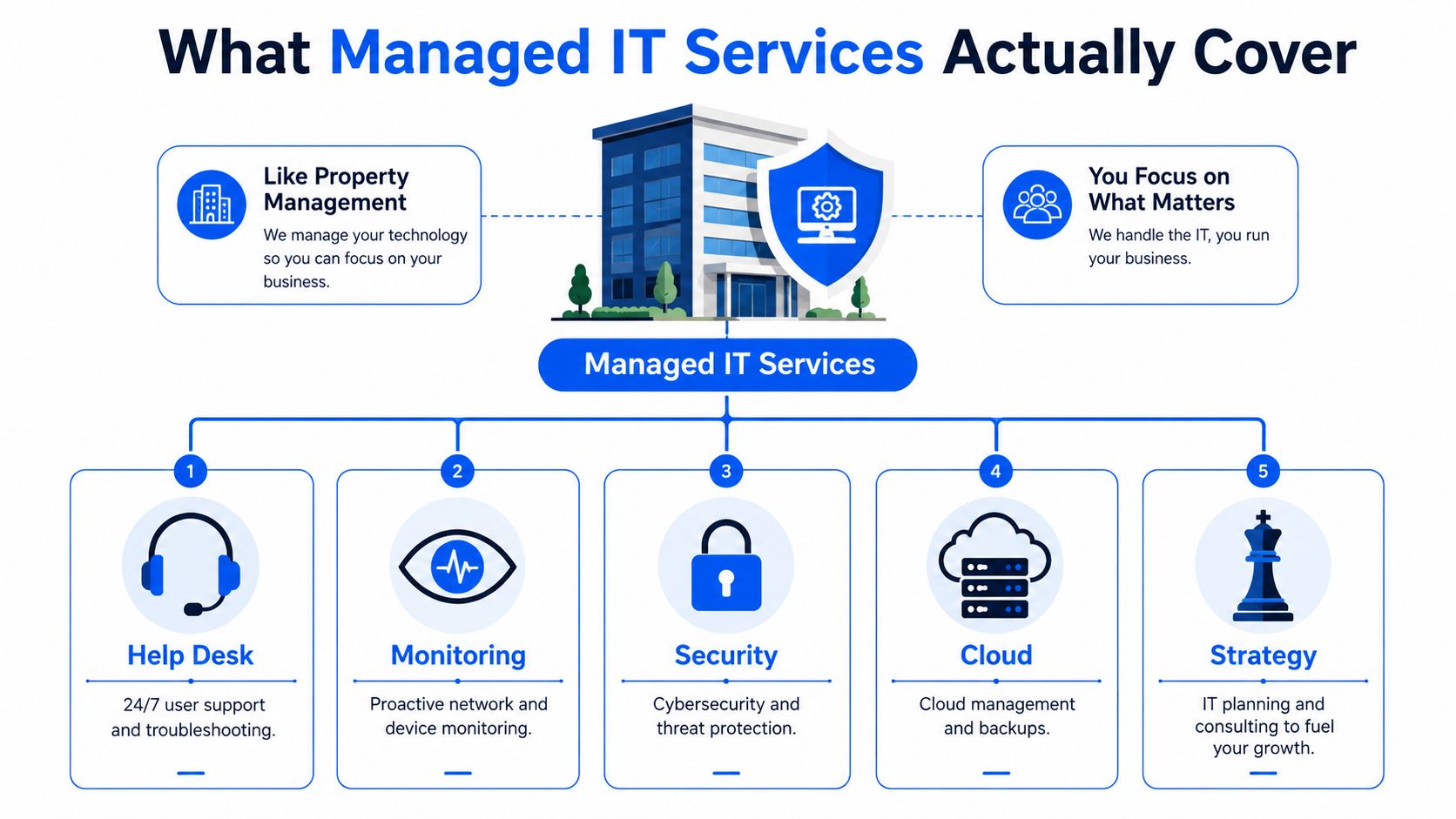
Managed IT is easiest to understand as property management for technology. A property manager doesn't just collect rent, they handle maintenance, respond to problems, check systems regularly, and coordinate specialists when something bigger breaks. A managed services provider does something similar for your IT environment.
The core pieces most buyers expect
Fully managed services usually center on help desk support, monitoring, patching, backup management, security operations, and planning. Co-managed IT often includes some of those same functions, but it works alongside an internal IT team instead of replacing it. That difference matters because the price follows responsibility, not just the number of employees in your building.
A provider that owns day-to-day operations is doing more than resetting passwords. They're watching endpoints, keeping systems current, validating backups, and trying to catch incidents before users feel them. For a useful example of scope in a specialized environment, Cloudvara's guide to proactive IT for accounting firms shows how industry needs can shape the service mix.
What often sits outside the base fee
The base fee does not always include projects, hardware, major on-site work, or advanced security tooling. That's where many buyers get surprised, because the monthly rate sounds all-inclusive until they ask who pays for a server refresh, a branch-office rollout, or a firewall upgrade.
Coverage defines cost more than headcount alone.
That point matters even more in environments with shared workstations, mixed cloud and on-prem infrastructure, or regulations that demand extra documentation. If your team uses a lot of different devices or relies on equipment the provider doesn't manage by default, the scope can change quickly. MR2 Solutions' managed services overview is a useful example of how providers describe proactive IT operations at a service level, not just as a help desk line item.
The simplest way to map your own environment is to list who needs support, what devices they use, what systems must stay online, and what the provider is expected to touch during an outage. That list becomes the pricing input.
How Managed IT Pricing Models Work
Most confusion around managed IT pricing comes from mixing up the pricing model with the service model. A quote can be perfectly fair and still be the wrong structure for your environment. The key is matching the model to how your company uses technology.
The four common models
Per-user pricing is now the market standard, and it works well when people use multiple devices and need the same support umbrella. Per-device pricing fits environments where the workload follows equipment more than employees, like shared terminals or device-heavy operations. Tiered pricing bundles services into packages, while a la carte pricing breaks them apart and charges for individual components.
For a broader lens on pricing transparency, Digna's predictable data observability pricing is a good comparison point because it shows how packaged and usage-based models can tell very different stories about total cost.
| Managed IT Pricing Models Compared | Best Fit | Strengths | Watch Outs |
|---|---|---|---|
| Per-user | Offices where each employee uses several devices | Easy budgeting, aligns with how people work | Can miss costs tied to shared systems or separate infrastructure |
| Per-device | Environments with shared workstations or many managed endpoints | Useful where devices drive support load | Multi-device users can make it feel more expensive |
| Tiered packages | Buyers who want clear bundles and service levels | Simple to compare at a glance | Low tiers often exclude the services teams end up needing |
| A la carte | Organizations that want only selected services | Flexible on paper | Hidden add-ons can make the real total harder to predict |
The wrong model can cost more than the higher rate
A lower per-user quote can still cost more if it assumes one device per person and your staff uses a laptop, phone, tablet, and shared site equipment. A per-device quote can also look inflated if your employees use several devices but the provider charges each one separately.
The cheapest model on paper isn't always the cheapest model in practice.
That's the hidden cost most buyers miss. If the pricing model doesn't match the operating model, the business pays for the mismatch one add-on at a time, usually after the contract is signed. In procurement terms, that means the best question isn't “Which quote is lowest?” It's “Which quote fits how we work?”
What Drives Managed IT Services Cost Up or Down
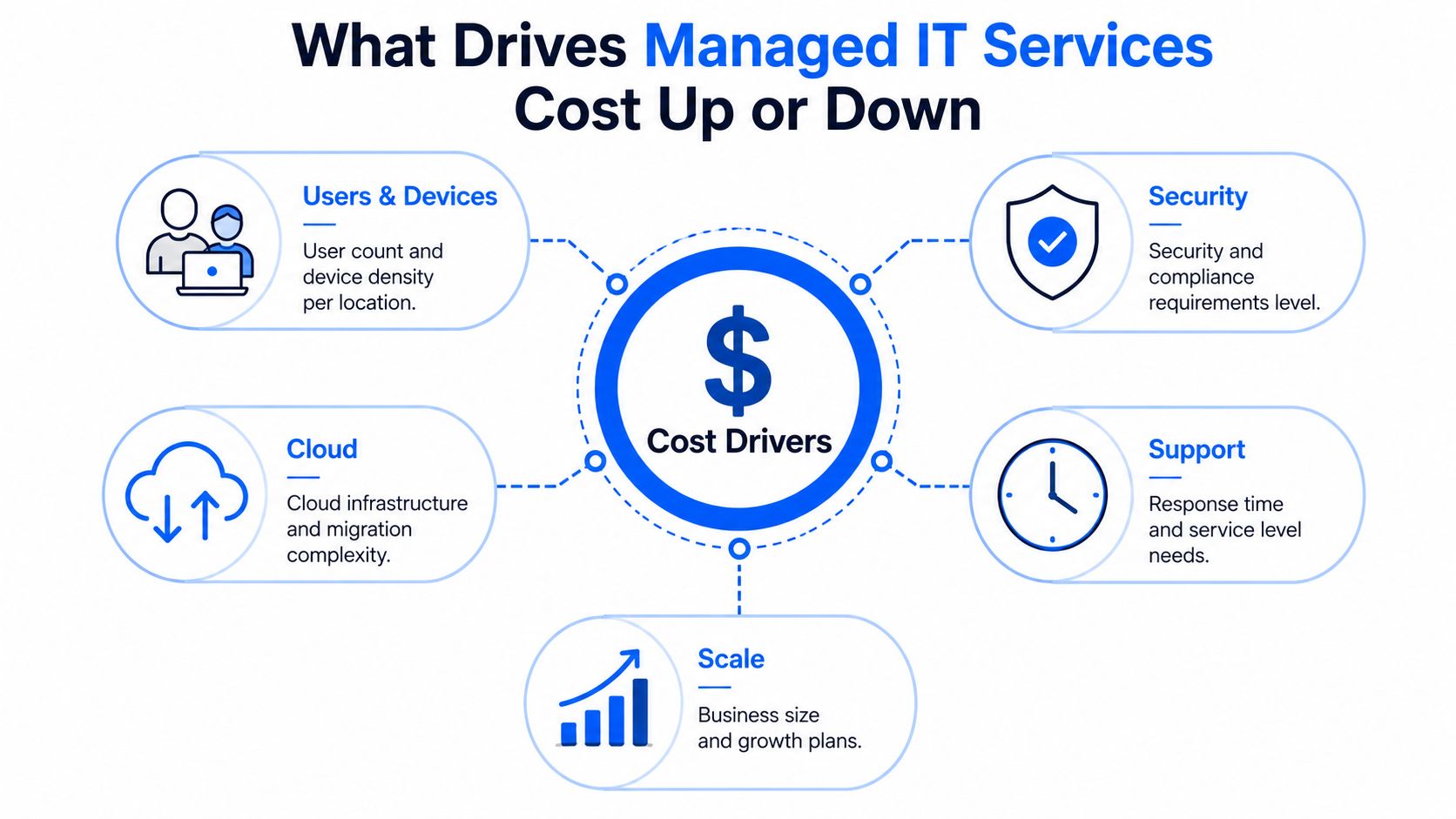
Managed IT services cost moves for reasons that are usually visible, and a few that aren't. User count matters, but so do device density, security requirements, cloud complexity, response expectations, and where your team is located. The quote gets higher or lower based on how much labor and risk the provider is taking on.
Security is the biggest pricing divider
A 2026 pricing summary said security-inclusive managed services packages carry a 42% premium over packages without security, which makes cybersecurity the single largest pricing differentiator in the market. The same source reported that per-user pricing rose by 8.3% in 2025 as providers passed through higher security-tool and labor costs, and that the average managed services contract for an SMB with 50 users reached $9,250 per month, or $111,000 per year. Those figures come from Top IT MSP's 2026 MSP pricing benchmark.
That premium isn't arbitrary. Security work includes tooling, monitoring, policy enforcement, and the human time needed to keep up with threats and alerts. If your quote includes stronger security controls, it may be more expensive, but it also reflects more responsibility being absorbed by the provider.
The environment shapes the labor bill
User count and device density are the most obvious drivers. A staff member with one laptop is easier to support than a staff member using multiple endpoints, and a site with shared workstations can create support patterns that don't fit a simple per-user model.
Infrastructure also matters. Cloud-heavy organizations can be simpler to manage in some respects, while businesses with servers, network gear, and hybrid setups often need more hands-on work. That's why the same per-user rate can describe two very different levels of effort.
Support levels change the quote too. Faster response times, broader coverage windows, and more complex service expectations all require more staffing. Geography does the same, especially when an agreement includes on-site support across multiple locations.
If your team needs stronger security, more infrastructure coverage, or tighter response commitments, expect the price to reflect that reality.
For a practical governance lens on leadership and risk, MR2 Solutions' fractional CISO services fit naturally into this conversation because security leadership often changes what “adequate” managed coverage has to include.
Benchmarking Quotes and Spotting Hidden Costs
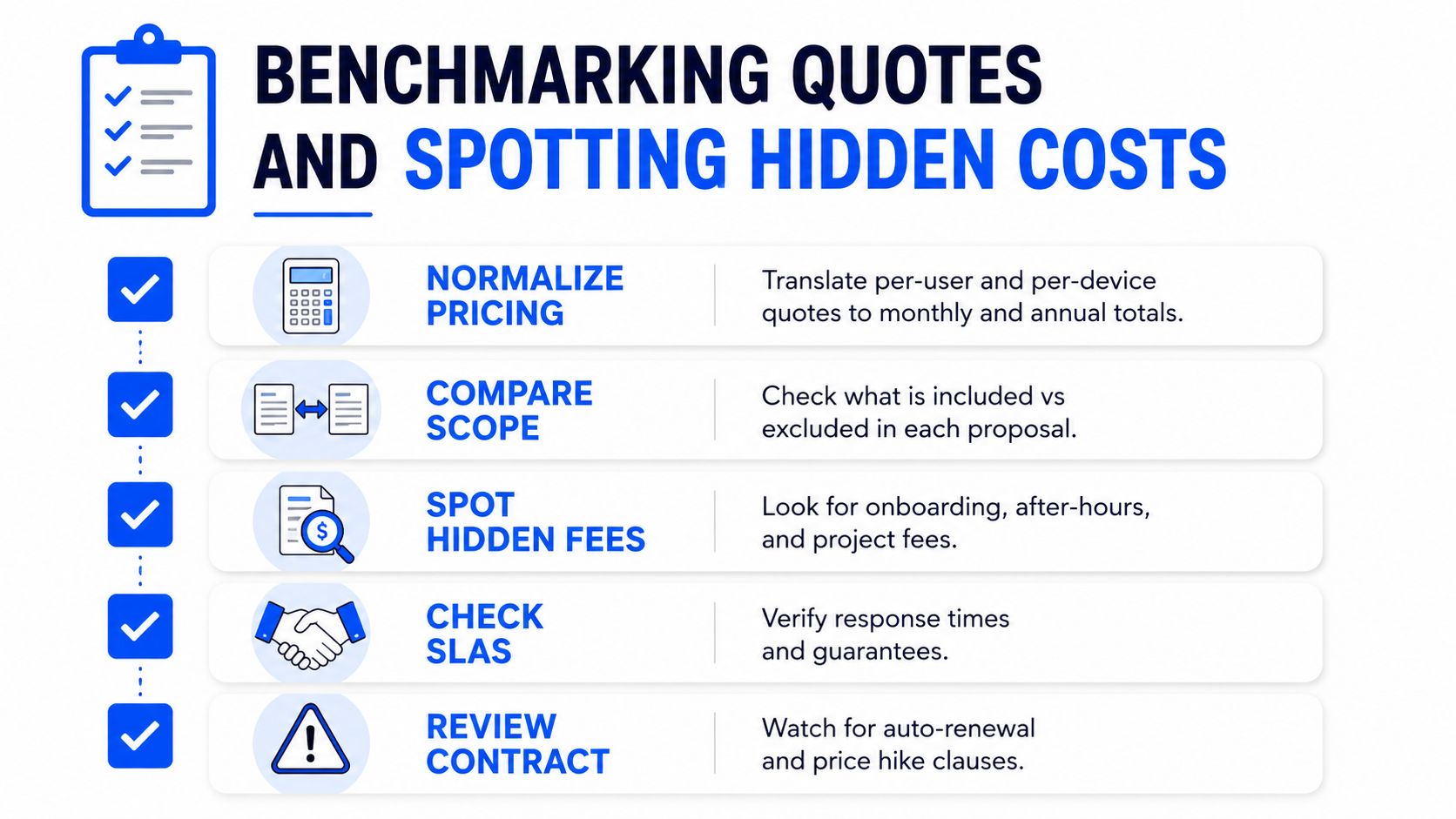
The fastest way to compare managed IT quotes is to strip away the labels and normalize the numbers. A per-user proposal, a per-device proposal, and a tiered package can all be made comparable if you translate each one into the same monthly and annual view for your actual environment.
Start with your real operating footprint
Use your headcount, device inventory, and site structure as the starting point. If the provider quotes per user but your business has shared workstations, servers, network appliances, or special compliance needs, ask which of those items are included and which are billed separately.
The 2026 benchmark that found $145 per user per month for fully managed IT, $85 per user per month for co-managed IT, and $1,200 average onboarding for a 25-seat business gives you a useful benchmark frame, but only if the quote matches your service scope. Those numbers come from Cloud Secure Tech's managed IT pricing statistics.
Look for the line items that usually hide
A quote can leave out servers, network gear, after-hours support, projects, or compliance tooling and still look competitive on paper. That's why a low monthly fee can become a much higher total once the first service issue, upgrade, or audit arrives.
If you're comparing broader infrastructure changes alongside managed services, Software Modernization Intelligence's overview of real costs of cloud modernization is a useful reminder that migration, support, and operating costs often live in different buckets.
A useful procurement checklist looks like this:
- Normalize the billing unit: Convert each quote into a monthly and annual total for your actual user and device counts.
- Check inclusions carefully: Ask whether backups, monitoring, patching, security tools, and on-site support are included.
- Identify separate charges: Confirm onboarding, projects, emergency response, and compliance-related work before you sign.
- Review the service boundaries: Make sure servers, network gear, and cloud systems are clearly assigned.
- Ask about renewal behavior: Understand how pricing changes when users are added or contracts renew.
The goal isn't to find the cheapest headline. It's to identify the quote that won't surprise finance six months later.
How to Calculate Total Cost of Ownership and ROI
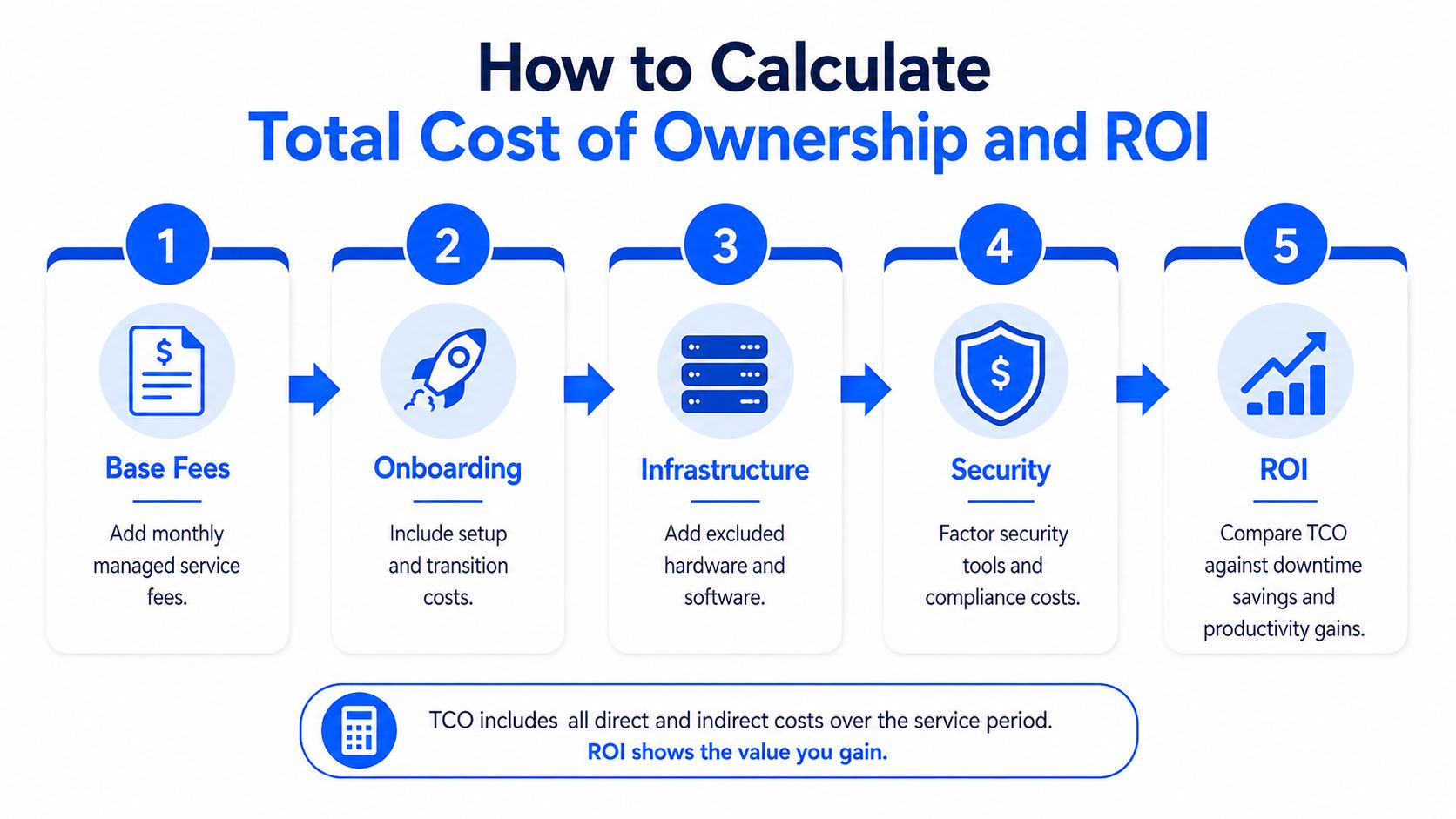
A good managed services decision needs a total cost of ownership view, not just a monthly quote. If you only compare subscription fees, you can miss onboarding, excluded infrastructure, security add-ons, and project work, then underestimate what the agreement will really cost over time.
Build the cost side first
Start with the base managed fee, then add onboarding, any excluded infrastructure, and any security premiums that aren't already included. If a quote is per-user, multiply it by your actual supported headcount, then add separate services for systems or locations the provider doesn't cover.
A simple 3-year view is usually enough for internal planning. That timeframe captures the onboarding period, the ongoing monthly fee, and the impact of any recurring add-ons without turning the math into a forecasting exercise no one trusts.
Then compare value, not just expense
Managed IT should also be measured against the costs it helps avoid or reduce. Faster resolution, fewer outages, a stronger security posture, and less internal time spent on routine support all matter. Those are real business outcomes, even if they don't show up as a line item on the invoice.
For companies that want a structured way to control spend across vendors and services, MR2 Solutions' technology expense management is relevant because it treats cost as something to govern, not just approve.
A 50-user organization is a good test case. If the monthly managed fee is aligned to the benchmark range, onboarding is added separately, and security is priced as a premium rather than assumed, the finance team can compare that total against the cost of keeping the same work in-house or reacting to problems as they happen. The right answer isn't always the lowest total. Sometimes it's the one that removes enough risk and internal drag to justify the difference.
Finance-friendly rule: use total cost, then ask what the provider is removing from your team's workload.
Making a Confident Managed IT Decision
The cleanest decision path is to match the pricing model to the operating model, then judge each quote on total cost of ownership instead of monthly rate alone. That keeps the discussion grounded in how your business uses technology, not in whatever unit the vendor found easiest to sell.
The next filter is scope. A strong proposal should state what's included, what's excluded, and what happens when your environment changes. If a provider can't explain whether security, backup, servers, and on-site support are part of the service, the quote isn't ready for approval.
You can keep the evaluation simple with four questions. Does the pricing model fit the way your people and devices work? Does the security coverage match your risk profile? Are infrastructure and project costs visible? Will the renewal terms still make sense if the business grows or the environment changes?
A vendor-neutral review process helps here because it forces each proposal through the same lens. That's the value of a structured brokerage approach. It doesn't start with a preferred provider, it starts with your requirements and then tests options against them.
Before signing, ask your team to review the quote against this checklist:
- Model fit: Does per-user, per-device, or tiered pricing match the business?
- Scope clarity: Are support, security, backups, and infrastructure covered?
- Hidden costs: Are onboarding, projects, and after-hours support explicit?
- TCO view: Have you compared the full cost over time, not just month one?
- Governance: Do you have a way to revisit the contract as needs change?
If you want help comparing managed IT proposals with a neutral lens, MR2 Solutions can help you evaluate scope, pricing structure, and long-term spend so the contract you choose fits the way your organization really operates.