
SaaS Spend Management: How to Cut Waste and Control Costs

$4,830 per employee per year is what the average organization now spends on SaaS, and that number climbed 21.9% in a single year, according to Zylo's 2025 SaaS Management Index. Very little of that growth passed through a capital request, a board deck, or a procurement review. It arrived as card charges, department-level upgrades, and vendor price increases folded into a renewal notice nobody read.
Software is now one of the largest cost lines in a mid-market or enterprise budget, yet it behaves unlike anything else in the ledger. It starts anywhere, renews without notice, and every vendor is paid for capacity you aren't using. Control doesn't require a platform purchase or a new department. It requires four artifacts you can build this quarter: one register of every subscription, one intake form that gates new purchases, one renewal calendar built on real notice dates, and one method for measuring AI and usage-based consumption.
Why SaaS Spend Escapes Your Budget Review
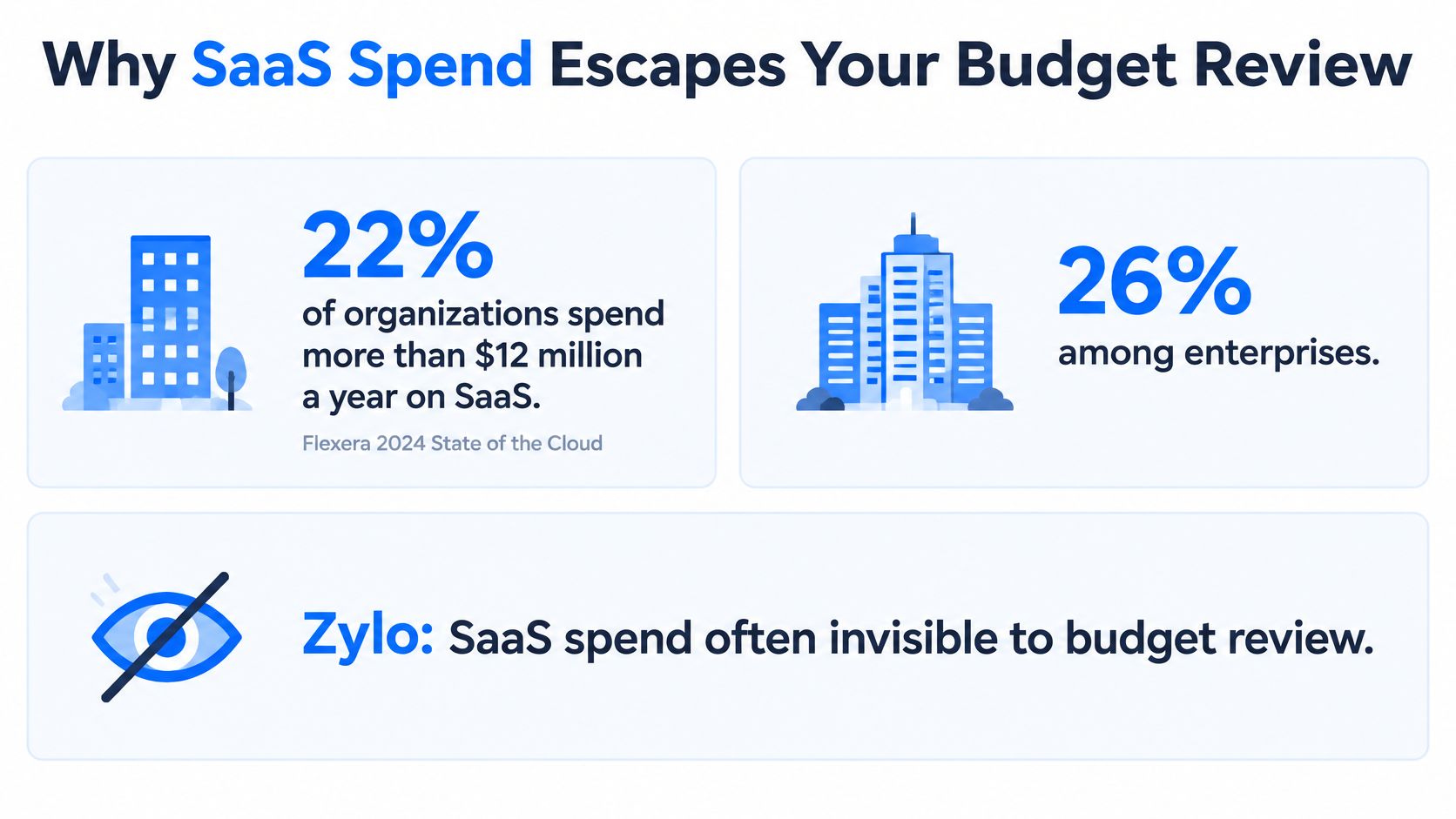
Scale explains part of the problem. Flexera's 2024 State of the Cloud report found that 22% of surveyed organizations spend more than $12 million annually on SaaS, a proportion that rises to 26% among enterprises. The same respondents estimated that 27% of public-cloud expenditure is wasted, an inefficiency that shows up in software as reliably as it does in compute.
The main driver is that no single team holds a complete record. Finance, procurement, IT, business units and individual employees can all initiate a subscription, so a company can carry substantial recurring cost without an authoritative list of what it owns, who uses it, or when each contract expires.
The tell: ask three departments what they pay for design software. Three different answers means you have a records problem, not a pricing problem.
Where the money actually leaks
Three patterns account for most of the waste, and all three are fixable with the same underlying asset, an inventory that carries owners, terms, usage and cost:
- Paid seats nobody uses. Entitlements get renewed against headcount projections rather than login data.
- Overlapping tools in one category. Two project-management platforms, three whiteboard apps, one shared job.
- Purchases that never touched procurement. A card charge that converts from a free trial and never appears in a vendor register.
SaaS spend management works as an ongoing financial discipline: discovery, utilization analysis, renewal planning and accountability, repeated every quarter. The wider cost program runs on the same logic, which is why the discipline behind how to cut operational costs starts with finding the leak rather than negotiating the price. For the invoice-side view of the same estate, technology expense management covers the reconciliation work after the register exists.
The first action costs nothing and takes an afternoon. Pull every software-related payment from the last twelve months out of card statements and accounts payable, then count the vendors that appear without any IT or procurement record. That count is your baseline, and it's the number to bring to the CFO before you ask for anything.
Build One Inventory of Every Subscription
Every decision that follows depends on a register that is complete enough to argue with. Build it in this order, and expect two to three weeks of part-time effort rather than a single clean export.
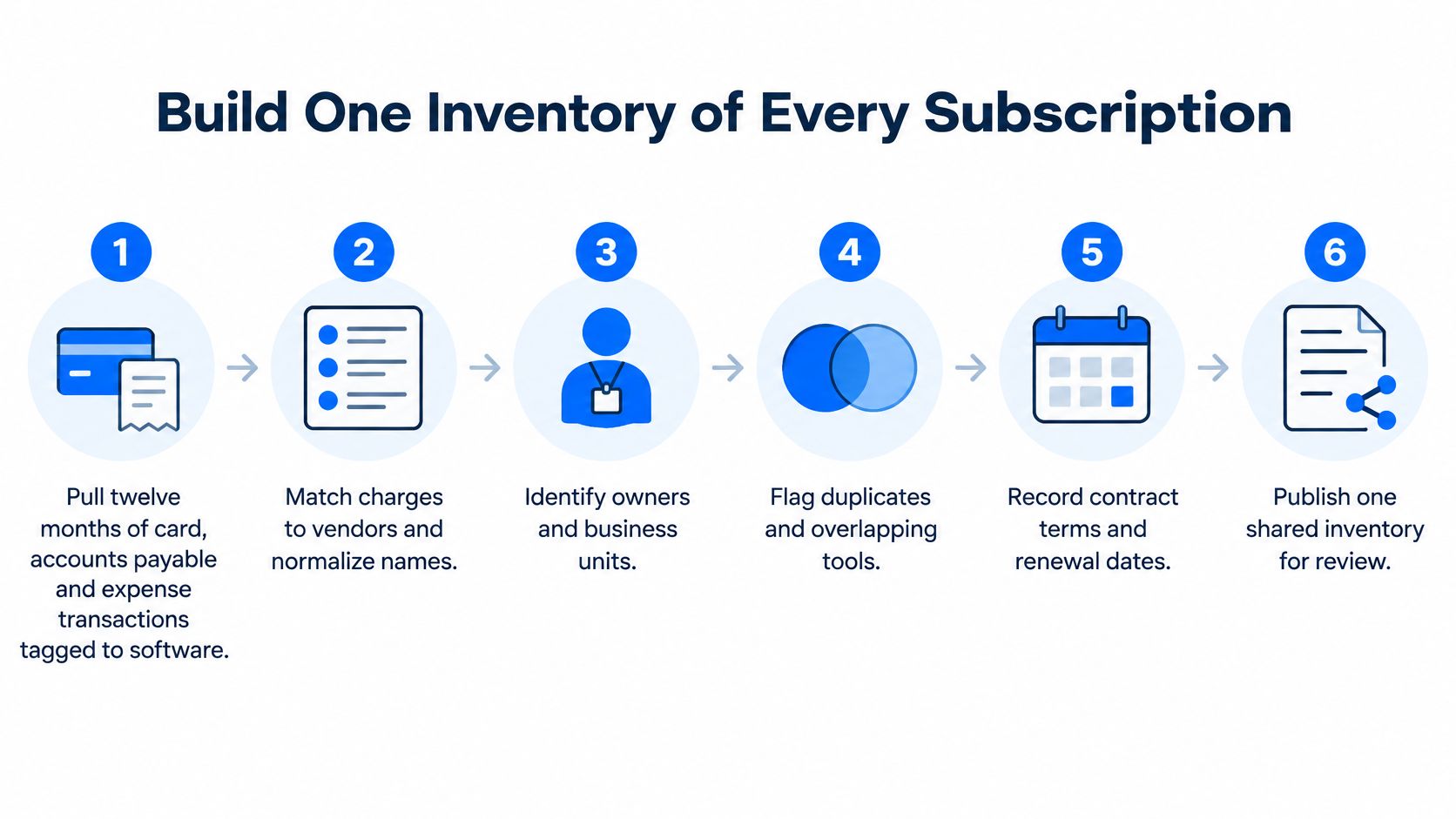
- Pull twelve months of payments. Filter card statements, accounts payable and expense reports for software merchants. Twelve months matters because annual invoices and quarterly true-ups land in months a shorter sample would miss. The usual slip is stopping at accounts payable and missing subscriptions bought on a personal card and then expensed.
- Export the identity provider app list. SSO assignments show which applications are in use and by whom. The usual slip is trusting that list alone, since tools bought outside SSO never appear in it.
- Name one business owner and one IT contact per application. An owner approves the renewal, defends the spend, and can retire the tool. The usual slip is assigning "IT" or "Finance" as the owner, which guarantees nobody acts.
- Record seats purchased, active users and plan tier. Compare the invoice count against the admin console and note any team that upgraded itself to a paid tier without approval. The usual slip is assuming the seat count on the invoice matches the vendor's own user report.
- Capture term, notice deadline, auto-renewal clause and overage formula. The notice deadline is the only field with a hard consequence attached. The usual slip is filing the signed PDF and never extracting the dates into anything searchable.
- Tag data sensitivity, security review status and business purpose. Purpose is what exposes duplicates, because two teams paying for the same job usually describe it in different words. The usual slip is leaving purpose blank and discovering the overlap during a renewal instead of before it.
Name a person, not a department. An application owned by "IT" is an application nobody retires.
Run the register as a monthly thirty-minute review with finance and IT in the room, not an annual audit. The table below is the minimum field set, and each field has a source you can chase this week.
| Field | Why it matters | Where to find it |
|---|---|---|
| Application and business owner | Someone must approve renewals and retirements | HR roster and SSO app assignments |
| Seats purchased vs. active users | Shows unused entitlements before renewal | Vendor admin console and SSO login logs |
| Contract term, notice deadline, auto-renewal | Sets the real negotiating window | Signed contract and procurement system |
| Annual cost including add-ons and overage | Reveals the true total cost | Card statements and accounts payable invoices |
| Data sensitivity and security review status | Drives the risk review before renewal | Security review records and vendor questionnaires |
| Business purpose and department | Exposes duplicate tools serving the same job | Interviews with department leads |
Find Unused Seats and Duplicate Tools
Unused licenses are the clearest measurable leak in the estate. The 2024 SaaS Management Index, which analyzed 30 million licenses and more than $34 billion in SaaS spending, found that organizations used only 49% of their provisioned licenses and averaged $18 million a year in license waste, 7% higher than in 2022.
Duplication is just as expensive and easier to miss. The same study recorded an average of 15 online-training applications, 11 project-management tools and 10 team-collaboration applications per organization. Each overlap fragments data, support and security controls, and every one of those tools has an owner who will defend it in a meeting.
Shadow purchasing compounds both problems: more than one-third of applications were shadow IT, and 67% of IT leaders named rogue software purchases among their leading SaaS challenges.
Reclaim seats before you negotiate
Start with last-login data from each vendor's admin console and from your identity provider. Flag accounts with no login for 60 to 90 days, then confirm with the line manager before removing them, because a dormant seat sometimes belongs to someone on parental leave, a contractor between engagements, or a team that logs in quarterly for a compliance cycle. Reassign or remove the rest before the renewal date, not after.
Then look at tier. Plenty of teams pay for an enterprise plan and use standard features: SSO, audit logs and admin roles are the usual justification, so check whether those controls are configured before you downgrade. For seasonal and contract staff, buy short-term seats or shared licensed access rather than annual commitments, and where several teams need the same capability, maximizing subscription ROI through group buying is worth reading before you assume every seat must be bought at list.
A seat that hasn't logged in for 90 days isn't a discount waiting to happen. It's a line item you're choosing to renew.
The same reclaim-then-negotiate order applies across the technology estate, which is why IT cost reduction strategies put utilization data ahead of sourcing work. Use the table below to match each waste pattern to its first move.
| Waste pattern | Benchmark from research | First action |
|---|---|---|
| Unused licenses | 49% of provisioned licenses used | Reclaim seats with no login for 60 to 90 days |
| Annual license waste | $18 million per organization, 7% higher than 2022 | Prioritize reclaim before the next renewal |
| Duplicate online-training apps | 15 per organization on average | Keep one platform and migrate users |
| Duplicate project-management tools | 11 per organization on average | Consolidate by capability after a usage check |
| Duplicate team-collaboration apps | 10 per organization on average | Compare control coverage and integrations before consolidating |
| Shadow IT | More than one-third of applications | Route all new purchases through one intake form |
Set Purchasing Controls and Forecast Spend
Reclaiming waste is pointless if the same leaks reopen next quarter. Stop new spend at the point of purchase, before it reaches the renewal calendar.
- Use one intake form for every software request. Ask for the business owner, the job to be done, the data the tool will touch, the seat count, and whether an existing application already covers the need. That last question kills more duplicates than any audit.
- Set approval thresholds by annual value. Small purchases with a named owner should clear in a day. Consumption-priced or higher-value requests need finance and security sign-off, which is where the main risk sits.
- Have finance flag software merchants every month. Match card and payables transactions against the register, and log each unregistered hit as a shadow-IT case rather than processing it as a routine reimbursement.
- Connect the register to the expense system and the identity provider. New accounts and new charges should appear automatically, not through quarterly exports that are stale the day they land.
- Start small if you have no procurement function. A shared spreadsheet plus one approver above a set threshold beats a stalled tooling decision.
Forecast from the register, not last year's budget
Take each application's annual cost, attach it to its renewal date, add committed usage and any price increase already communicated, and you have a rolling forecast tied to actual contracts. Compare it with invoiced spend each quarter and report variance by department, so budget owners see their own drift instead of a company-wide number they can't act on. If you're rebuilding the approval path itself, best practices in IT procurement covers the intake-to-contract sequence in more detail.
Run Renewals on a Gated Timeline
A renewal is the only moment you hold negotiating power, and it arrives on a fixed date whether you're prepared or not. Treat the 180 days before expiry as a sequence of gates, each one producing a document you can defend a year later.
| Days before expiry | Gate | Required output |
|---|---|---|
| 180 days | Freeze automatic expansion | Hold on new seats and tier upgrades |
| 120 days | Forecast seats and benchmark terms | Seat forecast and price comparison |
| 90 days | Evaluate security and compliance obligations | Documented risk sign-off |
| 60 days | Keep, reduce, consolidate or replace | Signed decision with TCO validated by finance |
| Before notice deadline | Send notice or confirm renewal | Contract action logged with date |
What each gate has to produce
Renewal benchmarking research describes the sequence this way: freeze automatic expansion, reconcile invoices to the authoritative inventory, forecast required seats from workforce and usage trends, evaluate security and compliance obligations, benchmark commercial terms, then run a documented keep/reduce/consolidate/replace decision.
The control framework matters more than the calendar. Assign a single accountable owner for each renewal, require finance to validate total cost of ownership, and record the alternatives considered along with switching costs, migration effort and service criticality. When someone asks two years later why you stayed with a platform, that record is the answer.
Where renewals go wrong
Buyers negotiate the line they can see and accept the lines they can't. Unit price gets argued down while minimum commitments, auto-renewal clauses, mandatory premium tiers, overage formulas, data-egress costs and unused implementation services stay untouched.
Negotiate the total, not the seat price. A 15% discount on seats means nothing if the contract adds a minimum commitment, a premium tier you didn't ask for, and an overage formula that bills at list.
Consolidating purely by category is the other trap. Two products both labeled collaboration or both labeled security can differ materially in control coverage, integrations, data residency and resilience, and merging them can cost more in risk and migration than it saves in license fees.
For a target range, the same benchmark dataset reports that organizations with active SaaS management programs held waste to roughly 8% to 15% of total SaaS budget, against 45% to 60% where governance was absent, with a 34% median sprawl rate across 500 enterprises. Those figures are provider-specific and not independently audited, so treat them as a direction of travel rather than a promise.
Metrics that prove the program works
Track a small set and report it every quarter:
- Realized savings against the forecast, not against list price.
- Forecast accuracy, measured as variance between predicted and invoiced cost.
- Renewal-cycle time, from first gate to signed decision.
- Coverage, meaning the share of spend attached to a named owner and contract metadata.
- Deprovisioning latency, the days between someone leaving or a tool being cancelled and the seat closing.
- Decision timing, the share of renewals decided before the contractual notice deadline.
Govern AI and Usage-Based Spend
Seat counting assumes cost scales with headcount. AI tools break that assumption, and most spend programs haven't caught up.

The scale of the shift shows up in executive reporting. Capgemini's survey of 1,000 executives across 14 countries found that 82% report significant increases in cloud, SaaS and generative-AI costs, that business units drive 59% of generative-AI spending and 48% of SaaS spending, and that 12% of SaaS spending is unmanaged.
Why seat right-sizing misses the bill
Traditional rightsizing catches dormant accounts and nothing else. Variable charges move independently of seat count: token billing, model calls, per-action pricing, and embedded AI features that lift the plan price at renewal. Then two teams buy overlapping assistants, and staff paste customer information into a tool no one reviewed, which turns a spend question into a data-processing question.
Here is the structural issue in practice.
A framework that fits consumption pricing
Classify every AI tool by data sensitivity and use case before you classify it by cost. A coding assistant touching production repositories and a meeting summarizer are not the same risk, and treating them identically either blocks the useful one or exposes the sensitive one. Then measure cost per completed workflow rather than cost per seat, because a tool that costs twice as much per user and removes a review step is cheaper than the alternative.
Set approval thresholds specifically for consumption-based pricing, since a per-token commitment has no natural ceiling and a trial can scale into real money before anyone notices. Reassess each tool whenever the vendor changes its model or its price sheet, because both change the unit economics you originally approved.
For mid-market and regulated organizations without dedicated FinOps or AI governance teams, a shared register of AI tools plus the same intake form used for the rest of the estate is enough to start. You don't need a new function. You need the spend visible in the same place as everything else.
The contrarian point is worth stating plainly: cutting AI spend indiscriminately destroys the productivity the spend was buying. Target unmanaged or low-value consumption, and report savings alongside adoption, risk and realized business value so nobody celebrates a cut that cost more than it saved.
Confirm Your Inventory Before the Next Renewal Cycle
Decide this month whether the register is complete enough to run a first renewal gate. Four weeks is enough to get there if you work in this order:
- Week one: pull the card, accounts payable and identity-provider lists as described in steps one and two of the inventory.
- Week two: reconcile the two lists and name an owner for every application.
- Week three: capture contract term, notice deadline, seat counts and annual cost for each application, working from the field table.
- Week four: choose the three renewals falling inside the next 180 days and run each one through the gates.
The completeness test is simple. If every application has an owner, a notice date and a seat count, the register is ready. If not, log the gaps and act only where the notice deadline allows, because a renewal that expires in three weeks won't wait for a perfect inventory.
MR2 Solutions offers Technology Expense Management to control a client's technology spend, giving organizations visibility into current IT spend and identifying opportunities for optimization. It works alongside internal IT teams rather than replacing them, and TBaaS™ engagements don't require long-term contracts. For teams short on bandwidth, that's a way to get the register built and the first renewals gated without pausing everything else.
Today's action is the same one from the opening. Export the last twelve months of software payments and count the vendors IT never approved. That number is your baseline, your argument, and the first line of your forecast.
MR2 Solutions helps CIOs, CTOs and IT directors turn SaaS and technology spend into a governed, forecastable line item through vendor-neutral Technology Expense Management, covering redundant subscriptions, unused services, rightsizing, vendor negotiation, and ongoing reporting. If you'd rather run the first renewal cycle with an experienced team beside yours than build the entire register alone, visit MR2 Solutions and start with a spend review.