
Unified Communications Software Explained Simply

Your team is probably living this right now. Sales calls happen in one app, internal chat lives in another, video meetings run somewhere else, and the phone system still feels like a separate world with its own admin panel, licenses, and support headaches. A user misses a customer message because presence status doesn't sync. A manager starts in chat, switches to email, then asks IT why the call recording isn't attached to the CRM record. Nothing is fully broken, but nothing feels connected either.
That's where interest in unified communications software usually starts. Not with a feature request, but with friction. Too many tools. Too many identities. Too many places for conversations to fragment.
The category is large because that pain is widespread. One market estimate valued the global unified communications market at USD 136.11 billion in 2023 and projected USD 417.86 billion by 2030, with a 17.4% CAGR from 2024 to 2030 according to Grand View Research on the unified communications market. A different tracker estimated worldwide UC&C revenue at USD 69.2 billion in 2024, up 7.8% year over year, which points to the same reality: voice, video, messaging, and collaboration have been moving into software platforms instead of staying in separate systems.
For IT leaders, the question isn't just which platform has the longest feature list. It's whether your organization should consolidate communication workloads into one operating model, or keep some of them separate because compliance, reliability, or user needs make separation the smarter choice.
Introduction to Unified Communications Software
A common day starts like this. A regional office calls the service desk because desk phones and mobile apps don't show the same directory. A project team schedules a meeting in one calendar tool, but the meeting link opens in a different platform than the one most employees use. Legal wants retention controls on messages. Operations wants faster calling between field staff and back office teams. Everyone says they need “better communication,” but they're talking about different problems.
That's why unified communications software matters. It gives IT a way to bring business calling, meetings, messaging, presence, and collaboration into a connected environment instead of managing each one as a separate island.
Why separate tools create hidden work
The pain usually shows up in small moments:
- Users switch contexts constantly: A chat turns into a phone call, but call history lives elsewhere.
- Admins duplicate effort: Accounts, policies, and permissions have to be managed across multiple consoles.
- Supervisors lose visibility: It's harder to trace the full story of a customer or internal issue when messages, calls, and meetings are split apart.
- Compliance teams inherit risk: Retention, recording, and data location rules become inconsistent across channels.
None of this means every tool must be collapsed into one suite. Sometimes keeping systems separate is the right move. But it does mean communications should be treated as an architecture decision, not just a software purchase.
Unified communications software solves a coordination problem before it solves a calling problem.
Why this category grew so quickly
The old model was simple, but rigid. Businesses bought PBX hardware for telephony, separate conferencing tools for meetings, and separate messaging tools for team chat. Over time, those boundaries softened as software became the control layer.
That shift turned unified communications into a major infrastructure category, not a niche add-on. If you're sorting through vendors, cloud options, and internal pressure to “standardize,” the goal isn't to memorize product labels. The goal is to understand what should be unified, what should remain distinct, and what your network and governance model can support.
What Unified Communications Software Really Means
Unified communications software isn't just a bundle of apps sold together. It's a communication fabric. Voice, video, chat, presence, voicemail, and collaboration signals move through one coordinated layer so people can switch modes without starting over.
A good test is this: when a user moves from message to call to meeting, does the experience feel like one system, or three products stitched together?
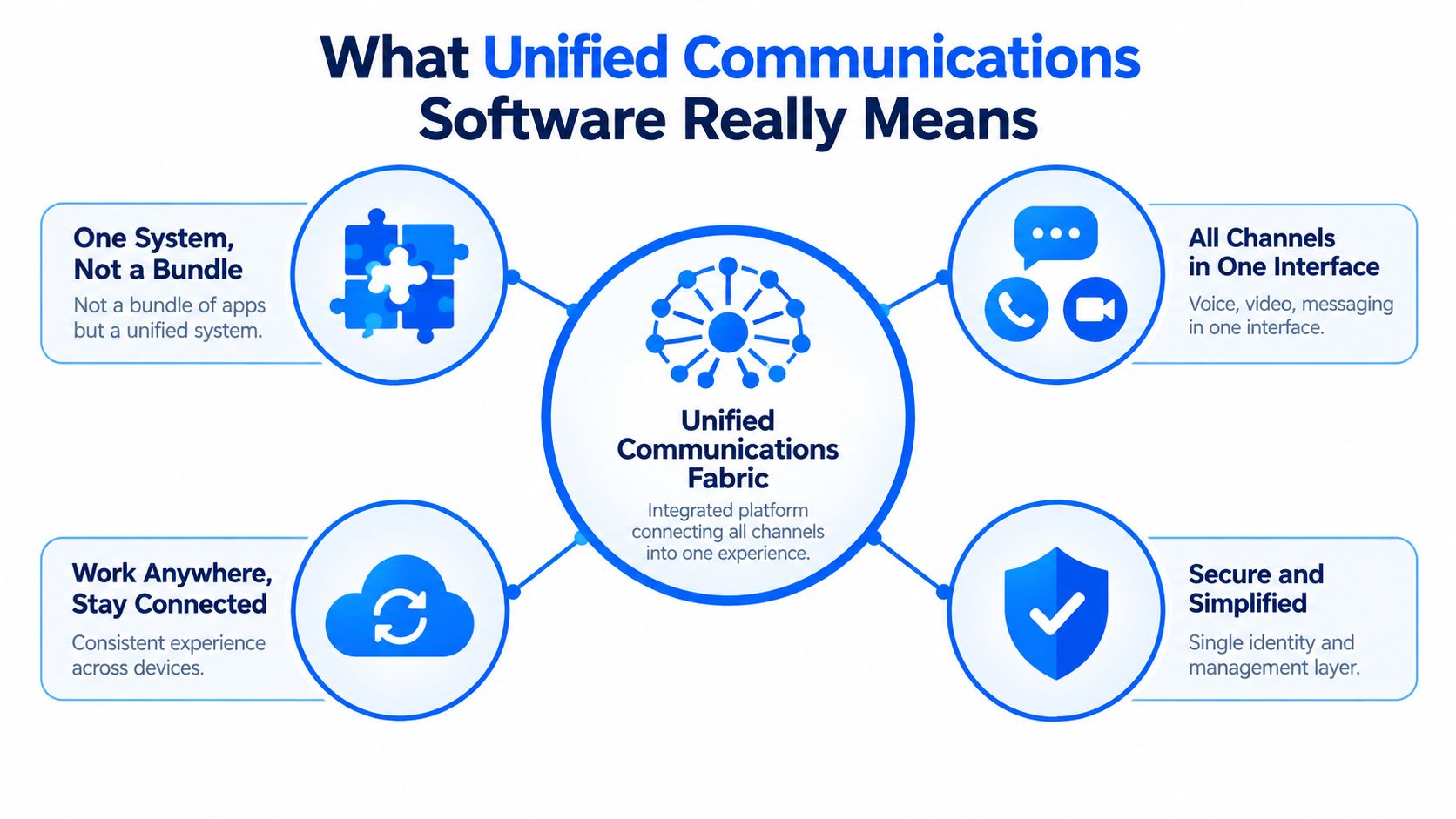
What “unified” actually looks like
In plain language, unified means several things happen together:
- One identity layer: Users sign in once and carry the same identity across calling, chat, meetings, and directories.
- One presence model: Availability status informs how people reach each other.
- One management plane: IT can apply policy, provisioning, and governance in fewer places.
- One user experience: A conversation can escalate from text to voice to video without making users hunt for another tool.
That's why the category became so large. The industry moved from isolated hardware and single-purpose apps toward software-centric platforms. IDC reported that the worldwide UC&C market grew 7.9% year over year in 2023 to USD 64.3 billion and projected it to reach about USD 85 billion by 2028 at a 5.7% CAGR in its IDC UC&C MarketScape vendor assessment PDF. The same analysis noted a European estimate of USD 57,820 million in UC revenue, 148.5 million licensed seats or active endpoints, and 66% cloud-based revenue. That scale matters because it shows UC is now core business infrastructure.
UC, UCaaS, and CCaaS without the jargon
Readers often get tripped up here, so keep the distinctions simple.
| Term | Plain meaning | Typical focus |
|---|---|---|
| UC | The overall category | Calling, meetings, messaging, collaboration |
| UCaaS | UC delivered as a cloud service | Provider-managed delivery and scaling |
| CCaaS | Contact center software | Customer interactions, routing, agent workflows |
A platform can overlap with more than one category. That's normal. The label matters less than the operating model behind it.
Practical rule: If you can't explain where calling, identity, routing, retention, and administration live, you don't yet understand the platform you're evaluating.
Core Features That Power Unified Communications
When buyers compare unified communications software, they often start with a checklist. Calling, meetings, chat, mobile app, done. That's too shallow. The value comes from how the features connect.
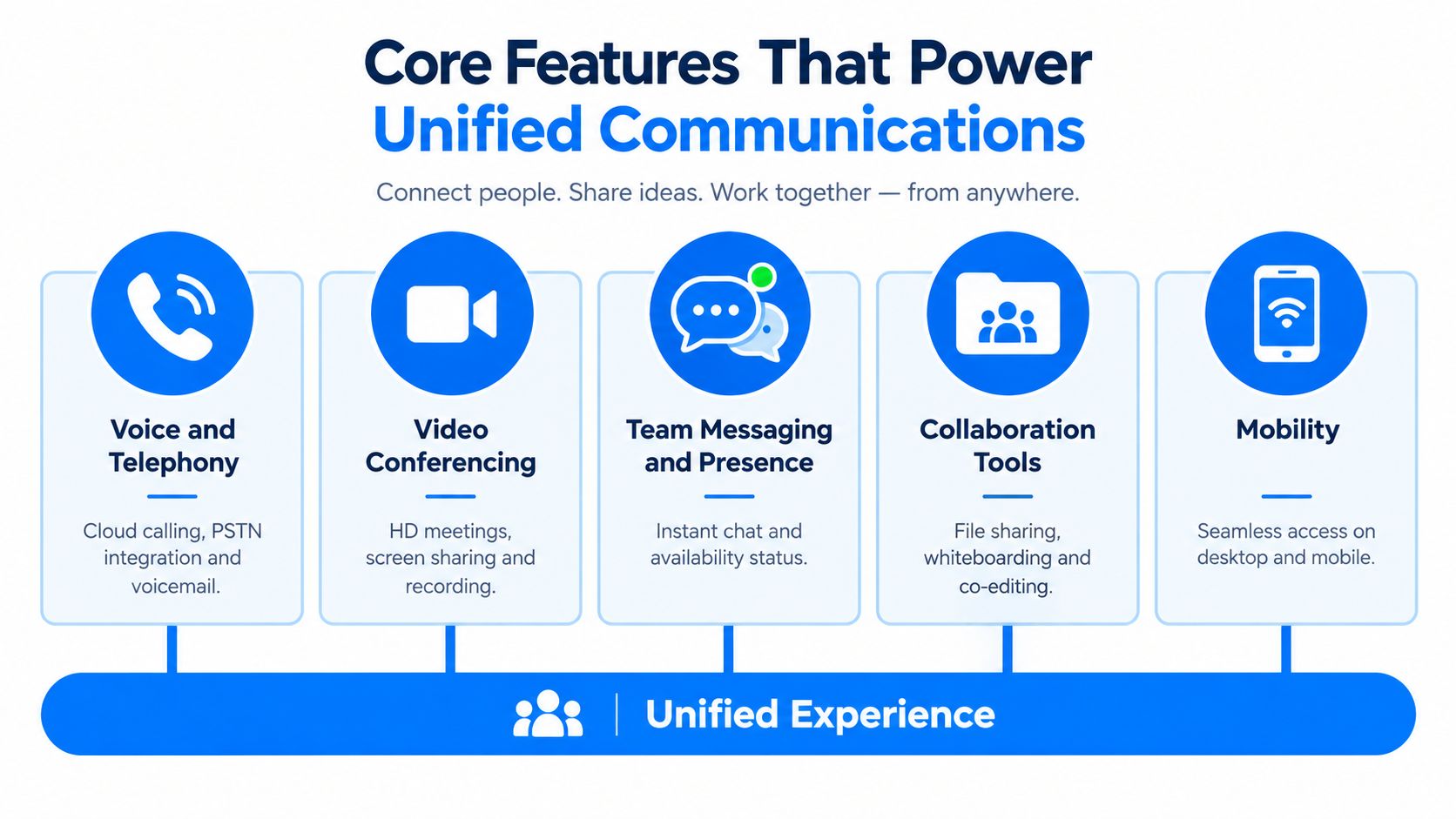
Voice and telephony
For many organizations, telephony is still the anchor workload. Users may love chat and meetings, but when inbound calling, extensions, voicemail, hunt groups, and external numbers are involved, the phone system still drives the hardest operational requirements.
The key question is whether telephony stands alone or works as part of a broader flow. If a missed call can become a message thread, if voicemail appears in the same client users already open all day, and if calling policy ties into identity and device management, the system is acting like UC rather than isolated voice.
Video conferencing and meetings
Meetings became the visible face of modern communications, but in a mature environment they shouldn't be treated as a separate island. Meeting scheduling, in-call chat, recording controls, device interoperability, and post-meeting follow-up all matter because meetings rarely begin and end as standalone events.
A solid platform lets users move from ad hoc conversation to formal meeting with very little friction. That matters in distributed teams, executive workflows, and cross-functional incident response.
Messaging and presence
Presence sounds minor until it isn't. If users can see whether someone is available, in a meeting, away, or already on a call, they stop guessing. That improves routing and reduces the back-and-forth that clutters email and chat.
Messaging works best when it supports escalation. A quick question becomes a call. A call becomes a screen share. The system should preserve context instead of forcing users to restart the conversation in a new tool.
The strongest UC environments don't just offer more channels. They make channel switching feel natural.
Collaboration and mobility
Collaboration includes shared files, whiteboards, notes, co-editing, and workflow handoffs. Not every organization needs all of those in the UC platform itself, but most need some connection between conversation and work artifacts.
Mobility is just as important. A field manager, nurse leader, warehouse supervisor, or traveling executive won't use the platform the same way a desk-based finance team will.
Here's a useful way to map feature value:
- Desk workers: Often need meetings, messaging, calendar ties, and internal calling.
- Frontline teams: Usually care more about mobility, push-to-reach simplicity, and fast escalation.
- Customer-facing roles: Depend on telephony, routing, CRM context, and recording controls.
- Specialized teams: May need external messaging, paging, or workflow-specific integrations.
If your organization also uses conversational AI in customer engagement, tools like AI chat for HVAC leads show how communication workflows increasingly blend messaging, automation, and handoff logic. That's a useful reminder that communication tools don't live in isolation from the rest of the customer journey.
Understanding UC Software Categories and Deployment Models
The most confusing part of unified communications software isn't usually features. It's packaging. Two platforms can look similar in a demo and behave very differently once compliance, survivability, and administration enter the picture.
The deployment choice is really a control choice
Many teams assume cloud is the automatic destination. Sometimes it is. Sometimes it isn't. A 2026 market analysis from Global Market Insights on unified communications describes cloud-hosted models as the majority of UC revenue, while noting that single-tenant and on-premises systems still serve regulated industries that need data sovereignty, voice reliability, and control. That's the overlooked decision point.
The question isn't “cloud or not” in the abstract. It's which workloads, geographies, and user groups benefit from standardization, and which ones create unacceptable tradeoffs if moved into a public multi-tenant model.
UC Deployment Models Compared
| Deployment Model | Best For | Control Level | Scalability |
|---|---|---|---|
| On-premises | Sites with strict control, local survivability needs, or legacy telephony dependencies | High | Lower than cloud-centric models |
| Hybrid | Organizations migrating gradually or keeping some regulated workloads separate | Medium to high | Moderate to high |
| Single-tenant cloud | Teams that want hosted delivery with stronger isolation and policy control | Medium | High |
| Multi-tenant UCaaS | Standardized environments that prioritize speed, simplicity, and broad access | Lower than self-managed models | High |
Category overlap creates buying confusion
A vendor may sell one suite that covers calling, meetings, messaging, and some contact center functions. Another may integrate tightly with third-party telephony or CRM tools instead. Neither approach is automatically better.
What matters is fit:
- Compliance-heavy organizations may keep recording, retention, or regional routing separate.
- Global firms may split by geography because carrier, language, or regulatory conditions differ.
- Operationally lean teams may favor more consolidation because they don't want multiple admin stacks.
If you're trying to explain this internally, it can help to compare communication choices with familiar calling tradeoffs in consumer contexts. For example, landline vs VoIP for expats is a simple reference that shows how reliability, flexibility, and location needs can pull people toward different models even when the end goal is just “make calls.”
For a broader view of platform types and terminology, MR2's overview of unified communications technologies is a useful primer for internal stakeholders who need shared language before vendor discussions begin.
Integration and Network Readiness for UC Success
Unified communications software fails in two predictable ways. First, the platform doesn't connect cleanly to identity, email, CRM, or service workflows. Second, the network looks fast on paper but behaves poorly for real-time traffic.
Both problems are avoidable, but only if you treat UC as an integration and transport project, not just an application rollout.
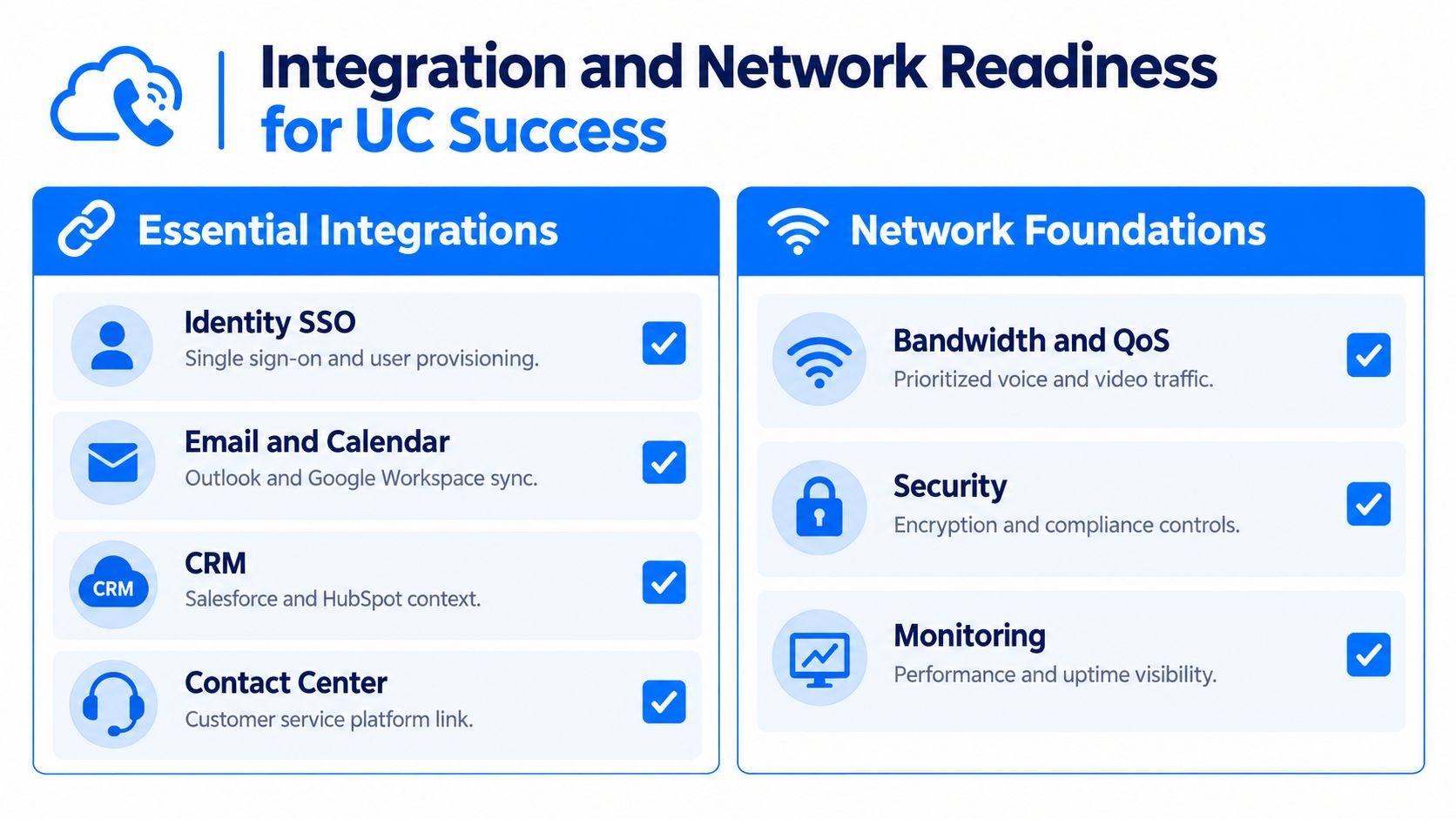
Start with the systems around the platform
A communications suite becomes much more useful when it connects to the systems users already depend on.
- Identity and SSO: Provisioning, deprovisioning, and authentication should align with your identity provider.
- Email and calendar: Meeting workflows break down quickly if scheduling and presence aren't aligned.
- CRM and service platforms: Customer-facing teams need context, not another disconnected pane of glass.
- Contact center tools: Escalation between internal experts and customer service workflows should feel deliberate, not improvised.
If your environment spans many apps, integration breadth matters. A catalog of 850+ tool connectors is a helpful example of how teams evaluate whether workflow data can move across systems without custom work every time a new process is introduced.
Network quality matters more than advertised speed
Real-time communications are sensitive to timing. A link can have plenty of bandwidth and still produce poor call quality if packets arrive late, unevenly, or out of order.
Independent UC guidance sets targets of below 50 ms one-way latency, below 100 ms RTT, below 1% packet loss over 15 seconds, and below 10% burst loss over any 200 ms interval according to Tom Arbuthnot's UC network threshold guidance. Those thresholds are more operationally useful than generic internet speed tests because they focus on what users hear and see.
Network truth: Mbps tells you capacity. Latency, jitter, and loss tell you conversation quality.
Codec choices affect capacity planning
Bandwidth calculations also confuse many teams because the codec rate isn't the whole story. Cisco notes that a G.711 voice stream is 64 kbps at the payload level, but the end-to-end per-call bandwidth rises to about 87.2 kbps on Ethernet once protocol overhead is included. Cisco also states that required media-stream bandwidth can range from 17 to 106 kbps depending on codec, headers, and compression, and that G.729 can lower per-call bandwidth to about 31.2 kbps on Ethernet in the right conditions, as shown in Cisco's voice codec bandwidth guidance.
That matters when remote sites, branch offices, or constrained WAN links are involved. You're not just choosing a feature set. You're choosing how much real-time traffic your network can sustain and how consistently it can prioritize it. In multi-site environments, planning often overlaps with broader WAN design work such as SD-WAN services, especially when policy-based routing and application prioritization are part of the UC strategy.
How to Choose the Right Unified Communications Software
By the time vendor evaluation arrives, teams have already seen enough demos to blur together. The screens look polished. The feature grids all seem complete. The better method is to score platforms by fit, not by marketing breadth.
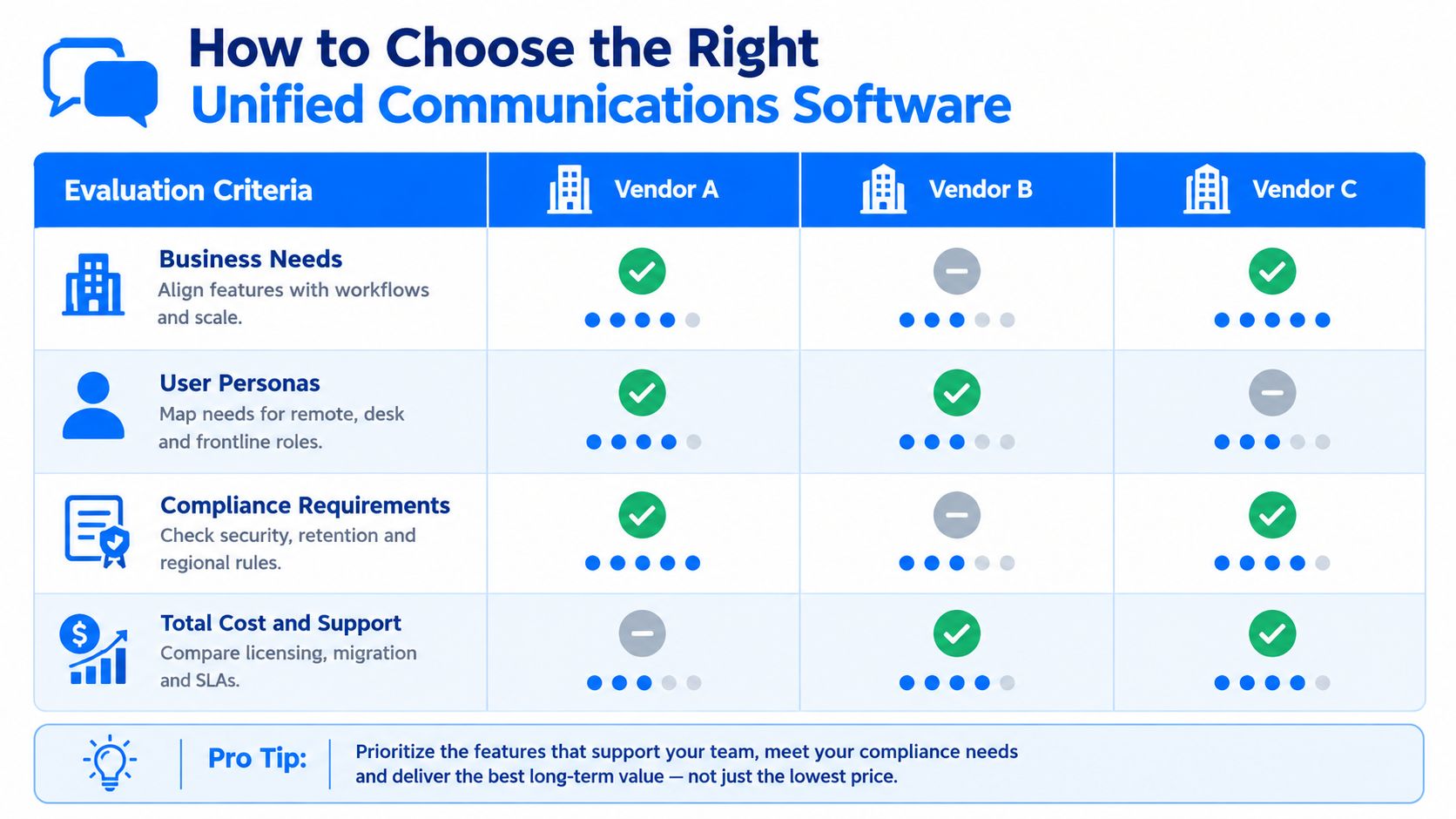
Four filters that clarify the shortlist
Start with these four:
Business needs
Focus on workflows, not product names. Does the platform support branch calling, executive communications, field mobility, and service escalation the way your teams work?User personas
Desk workers, contact center agents, clinicians, plant supervisors, and traveling sales leaders often need different things. One suite can serve all of them, but only if the deployment and device model are realistic.Compliance requirements
Recording, retention, eDiscovery, data residency, encryption controls, and admin separation should be reviewed early. If those issues show up late, the shortlist usually has to be rebuilt.Total cost and support model
Licensing is only one part of the picture. Migration effort, carrier coordination, training, ongoing policy management, and support boundaries can change the economics quickly.
Use a separation test, not just a consolidation test
A lot of buying teams ask, “Can this platform replace what we have?” That's too narrow. Ask a second question: “What should this platform not replace?”
That shift improves decision quality because it recognizes that some functions may deserve to remain separate. Common examples include highly regulated recording environments, legacy analog dependencies, location-specific survivability, or customer service operations that need deeper contact center specialization than a UC suite provides.
If consolidation creates policy exceptions, user resistance, or network fragility, it may be solving the wrong problem.
Make evaluation operational, not theoretical
A structured scorecard helps, but it only works if the inputs are grounded in real operations. In practice, IT leaders often reduce cycle time by pairing stakeholder interviews with controlled testing of key workflows such as number management, meeting interoperability, mobile use, directory sync, and support escalation.
Financial review belongs in that same process. If you're comparing suites, carriers, add-ons, and migration paths, a discipline like technology expense management helps teams see where recurring communications costs are duplicated, hidden, or likely to expand after rollout.
Bringing Your Unified Communications Strategy Together
Unified communications software sounds straightforward until you try to standardize it across a real business. Then the hard part appears. Not calling, chat, or meetings by themselves, but the decisions around identity, routing, compliance, network behavior, user roles, and vendor boundaries.
That's why the most useful way to think about UC is not as a feature bundle. It's an integration decision. In some organizations, consolidation creates a cleaner operating model with fewer tools, simpler administration, and a better user experience. In others, selective separation is smarter because regulated workflows, regional requirements, or operational reliability need tighter control.
A practical path usually looks like this:
- Map your current state: List communication tools, admin consoles, carriers, and integrations.
- Group users by actual work patterns: Don't treat executives, frontline teams, and contact center staff as one audience.
- Identify must-haves early: Compliance, recording, survivability, and regional constraints should shape the architecture from day one.
- Check network readiness before platform commitment: Real-time quality depends on consistent transport, not just available bandwidth.
- Shortlist with a fit score, not a feature score: The right answer is the platform model that supports your operating reality with the fewest compromises.
If you approach unified communications software this way, vendor selection gets easier. More important, implementation gets calmer because you're no longer forcing one tool to solve mismatched problems.
MR2 Solutions helps organizations evaluate, source, implement, and govern unified communications in a vendor-neutral way, with support across network design, compliance needs, and multi-vendor decision-making. If you're trying to decide what to consolidate, what to keep separate, and how to compare options without getting trapped in product marketing, visit MR2 Solutions.